01
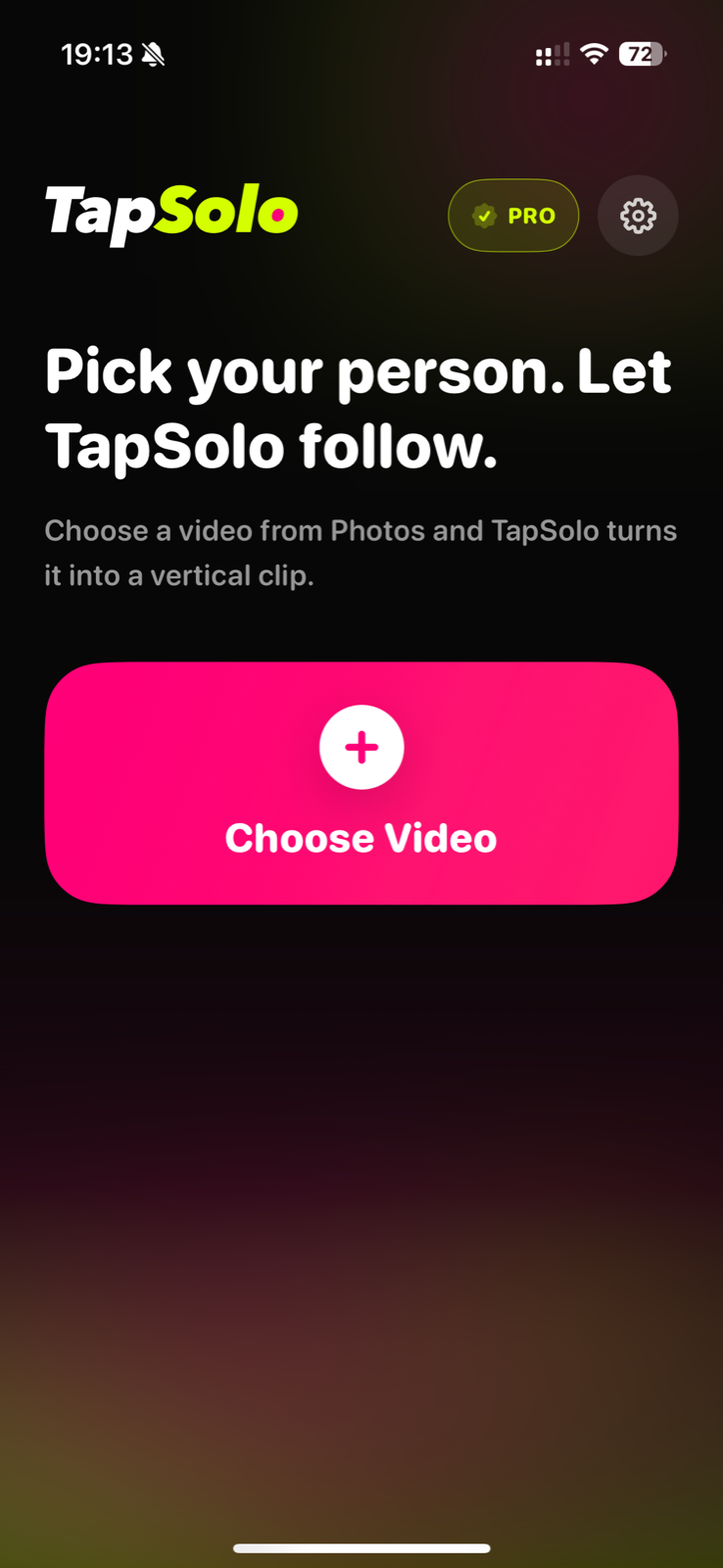
Choose a video
Pick a group dance, rehearsal, or performance video from Photos.

ON-DEVICE AI · SOLO FANCAM
Import a group dance video, tap the person you want, and let TapSolo frame a focused 9:16 solo fancam.
Your video is analyzed and exported on your device.
THE IPHONE WORKFLOW
These product views use real TapSolo iOS screenshots from the current flow, paired with the source dance-studio frame used for the demo.
Real app screenshotsPick a group dance, rehearsal, or performance video from Photos.
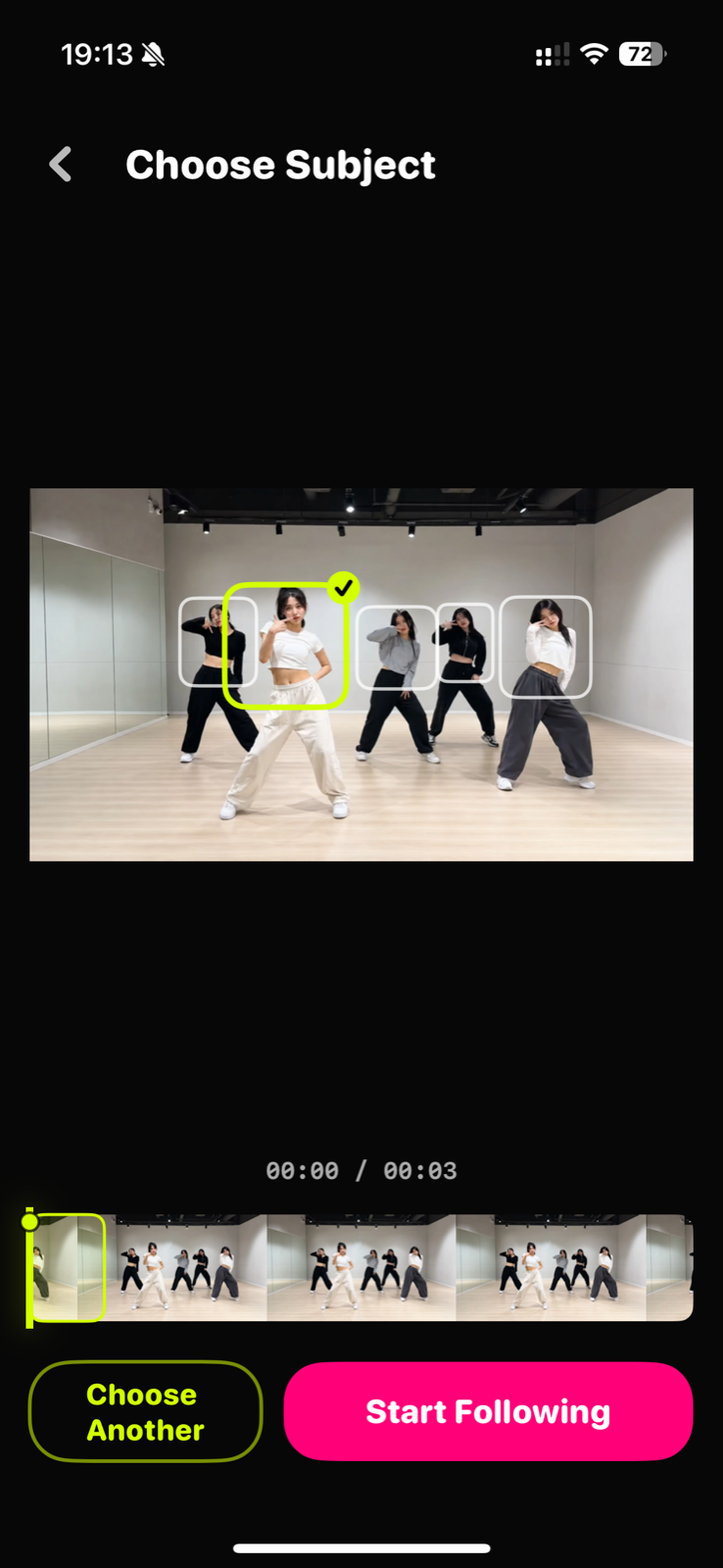
Move to a clear frame and tap the person you want TapSolo to follow.
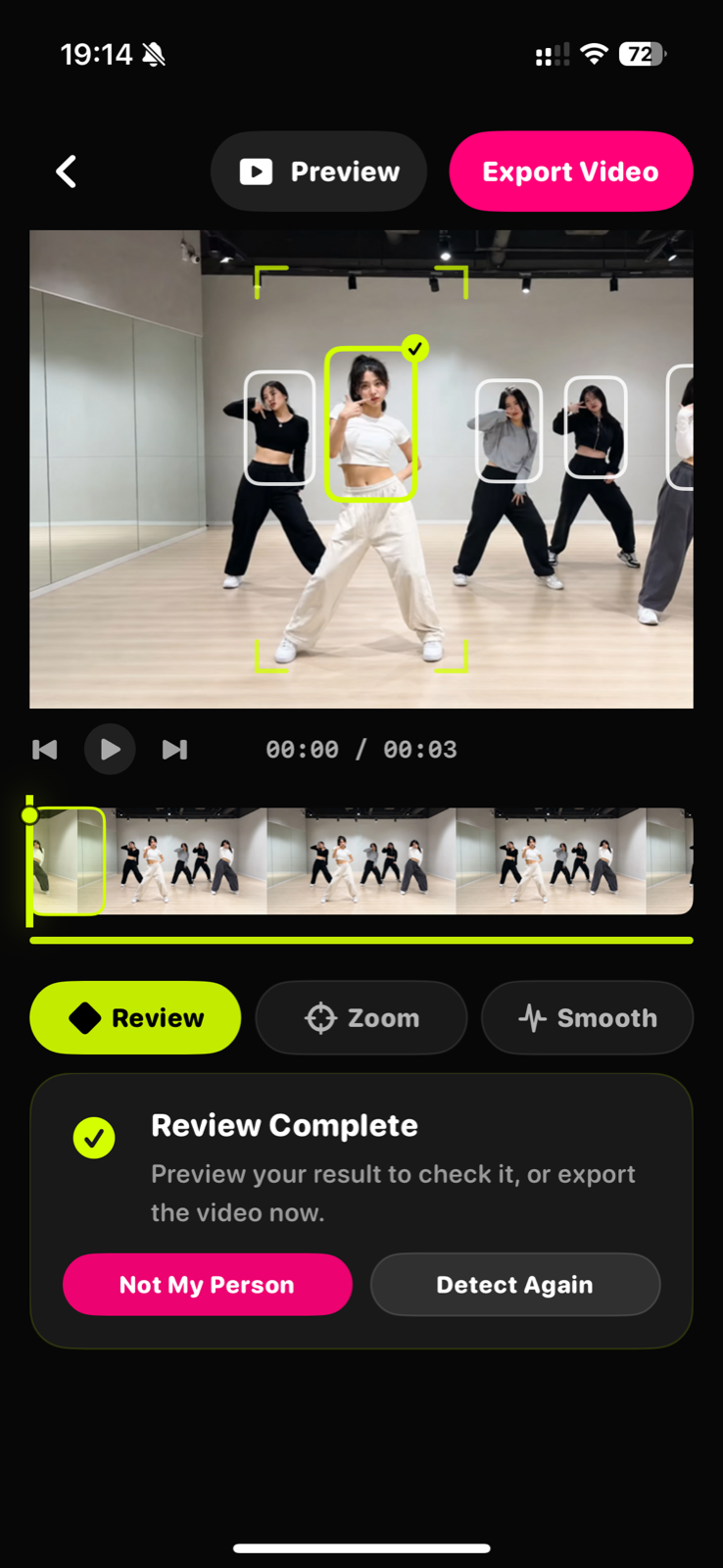
Check the follow path and correct uncertain moments when people cross or disappear.
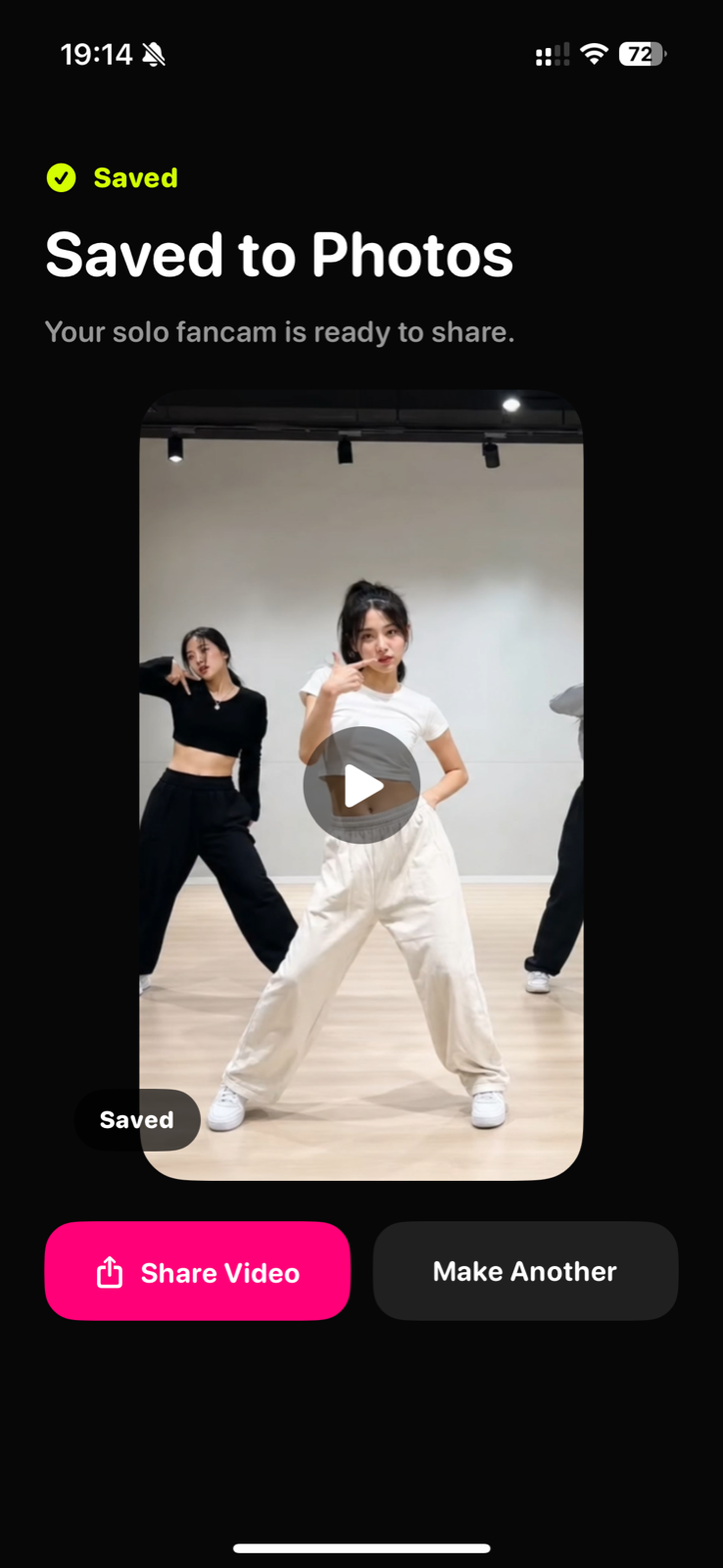
Create a vertical 9:16 solo fancam, save it, and share it.
Automatic tracking does the repetitive work. You stay in control when a crowded scene needs a decision.
Pick a group dance, rehearsal, or performance video from Photos.
Move to a clear frame and tap the person you want TapSolo to follow.
Check the follow path and correct uncertain moments when people cross or disappear.
Create a vertical 9:16 solo fancam, save it, and share it.
PRODUCT PRINCIPLES
Computer vision detects and follows the person you select. It does not generate a new performance.
TapSolo prioritizes staying with your chosen person instead of quietly switching to someone nearby.
Crowded choreography can be difficult. Review tools let you resolve uncertain moments before export.
Video analysis, reframing, and export happen on your device instead of requiring a cloud upload.
PRIVATE BY DESIGN
TapSolo uses on-device computer vision for person detection and tracking. It is not generative AI, and cloud upload is not required for the core workflow.
Turn a full-group recording into a personal vertical cut for one dancer.
↗Keep your bias or selected performer in a focused 9:16 frame.
↗Review one member without manually panning across the entire rehearsal.
↗Let on-device computer vision follow the person you choose without cloud upload.
↗Group dance, rehearsal, stage, and other multi-person videos work best when your target is visible clearly for part of the clip.
Yes. TapSolo uses on-device computer vision for person detection and tracking. It is not generative AI and does not invent frames or performances.
No cloud upload is required for the core TapSolo flow. Analysis, reframing, and export run on the device.
TapSolo includes a review and correction path for uncertain moments such as crossings, occlusion, or the person leaving frame.
The current product direction focuses on vertical 9:16 solo fancams.
YOUR NEXT SOLO CUT
TapSolo 1.0 is now available on the App Store for iPhone.